The fortnight before audit fieldwork has a recognisable shape. Engineers stop shipping and start hunting for evidence. Somebody screenshots a pipeline run. The compliance lead writes narrative answers where artefacts should be. The audit completes, produces a recommendation that amounts to capture this evidence continuously next time, and the cycle repeats twelve months later.
Auditor-ready CI/CD means producing the day-one artefacts an audit asks for without that fortnight. The useful insight is that almost every artefact on the list is something the pipeline already produces, or can produce with a one-line change to a workflow file. The general model for turning pipeline activity into control evidence is in the guide to CI/CD compliance; what follows is the day-one checklist and how to tell whether each item would survive contact with an auditor.
The six auditor-ready CI/CD artefacts
Standards differ in wording and converge on a short list. Each item below names what to produce, and the test of whether what you have is good enough.
1. A signed-artefacts inventory
What ships to production, and proof that what shipped is what was built. Evidences PCI-DSS Req 6.4.6 and NIST SSDF PW.7.
The test: can you take a running production artefact, find its signature, and trace it back to the commit and workflow run that produced it. If signing happens but nothing records which run signed what, the signature proves integrity without proving provenance, and the second is what the control asks for.
2. An approver chain on every production deploy
For every production deploy inside the audit window, who approved it and when. Evidences SOC 2 CC8.1 and ISO 27001 A.8.32.
The test: pick three deploys at random from the window and produce the approver in under a minute. This is where teams most often discover a gap, usually because approvals live in chat rather than as workflow artefacts. An approval recorded as a Slack message is not an artefact; it is a message that will be hard to find and easy to dispute.
Watch for the deploy paths that skip the standard pipeline entirely. A hotfix route with no approver record is a finding waiting to happen, and it is better to know about it before fieldwork.
3. Secret-rotation evidence
A rotation policy, plus evidence it operated. Evidences SOC 2 CC6.
The test: for each credential the pipeline uses, when was it last rotated and by what process. Personal access tokens with no owner and no rotation schedule are the usual finding, and they tend to belong to someone who left.
4. A security-finding export by rule and date
What the automated gates found, when, and what happened next. Evidences NIST SSDF PW.4 and PCI-DSS Req 6.3.
The test: can you show a finding, its date, and either its remediation or a recorded decision to accept it. A scanner that runs on every commit but whose output nobody exports leaves you asserting that scanning happens rather than demonstrating what it found. Auditors ask for the second.
5. A DORA-metrics report
Recovery time and change failure rate over the audit window, which speak to SOC 2 CC7 and indirectly support several other standards.
The test: is it computed from pipeline data rather than assembled by hand for the occasion. A hand-assembled figure invites the question of how it was derived, and that question is harder to answer well than to avoid.
6. A deploy-frequency report
How often production changed during the window, and through which path. Its main value is corroborative: it should agree with the approver chain in item two.
The test: do the deploy count and the approver count match. A gap between them means deploys happened outside the approved path, and an auditor who finds that discrepancy before you do will widen the scope of what they check.
The principle underneath the list
Every artefact above is a byproduct of doing the work properly. Signing is part of building. Approvals are part of deploying. Findings are output from gates that already run on every commit. None of it is compliance work in the sense of extra activity performed for an auditor.
Which reframes what being auditor-ready costs. The expensive part is not producing the evidence; the pipeline produces it whether or not anyone captures it. The expensive part is capturing it in a form that is dated, structured, and queryable, instead of discovering during fieldwork that the evidence existed and expired. Retention windows are the usual culprit: provider run history has a bounded lifetime, and audit windows are frequently longer than it.
The schema for capturing it durably is covered in building an audit trail from CI/CD, and the per-control mapping for one standard is worked through in the ISO 27001 CI/CD evidence checklist.
A dry run beats a scramble
The cheapest preparation is to run the six tests above against a window that has already closed, before anyone asks. Pick last quarter, try to produce each artefact, and time yourself. The items that take more than a few minutes are your real gaps, and they are almost always capture problems rather than practice problems: the team was doing the right thing and not recording it.
Fixing a capture problem is a configuration change. Fixing it during fieldwork is a fortnight.
The dry run has a second benefit that is easy to miss. It tells you which of your controls are genuinely enforced rather than merely intended. A gate that can be skipped, an approval that is always granted, a deploy path that bypasses the pipeline: each looks fine in a policy document and fails the moment somebody asks for the artefact. Finding those yourself, months ahead, turns a finding into a fix.
Where CI/CD Watch fits
CI/CD Watch, a CI/CD observability platform that monitors pipelines across GitHub Actions, GitLab CI, Bitbucket Pipelines, CircleCI, Azure DevOps, and Jenkins, retains run history beyond the provider window, audits pipelines against a rule set, and produces dated structured findings across the five families of pipeline-relevant controls: access, change management, segregation of duties, audit trail, and secure development.
That covers the capture half of the problem, which is the half that turns into a fortnight. It does not write your policies, conduct your risk assessment, or make an unapproved deploy path acceptable. Where a control is only partially evidenced by pipeline data we record it as partial, because a partial mapping presented as complete is the failure mode that costs an audit.
Try the dry run
Take last quarter and see how many of the six you can produce in an hour. Most teams manage three or four and find the gaps are in approver records and finding exports, both of which are capture problems with configuration fixes.
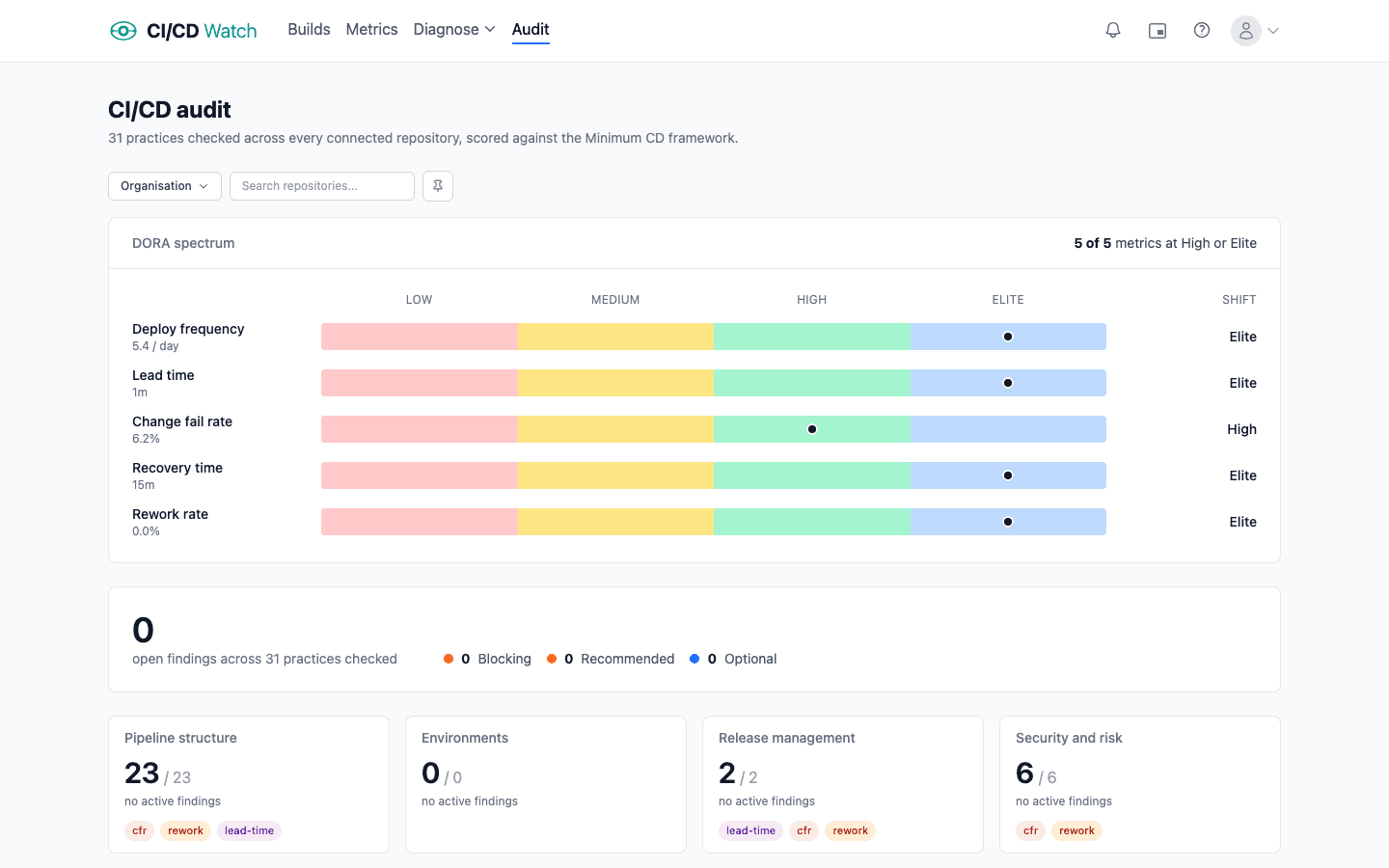
If you would rather start from structured findings than from screenshots, connect a provider and run an audit. The output is dated and exportable from the first run, which is the form the evidence needs to be in and the form a screenshot taken next February will not be.
CI/CD Watch is built by 3CS Technologies Ltd, a UK consultancy that has run pipeline audits across regulated programmes and now runs the same engine inside the SaaS platform. The day-one checklist above is the one we use, and the reason we treat CI/CD compliance as a capture problem rather than a process problem.