Pipeline alerts, right in Slack
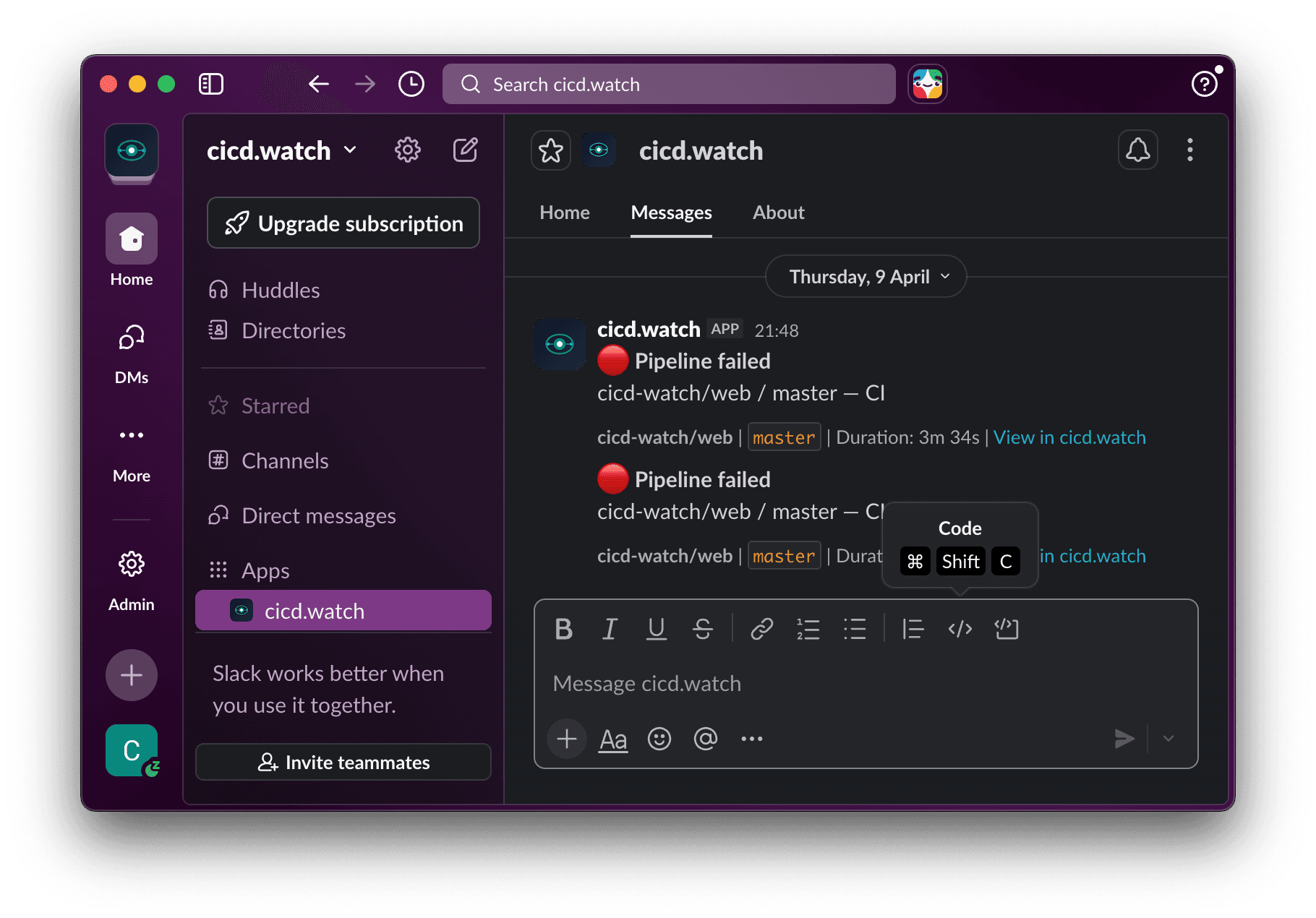
Get notified the moment a build fails, a deployment lands, or an alert fires. Team channels for shared visibility, personal DMs for your own builds.
Stay in the loop without leaving Slack
Route the right notifications to the right people. No more checking dashboards or refreshing GitHub.
Channel Notifications
Route pipeline events to the Slack channels your team already watches. Choose which events go where — failures to #engineering-alerts, deployments to #releases.
Personal DMs
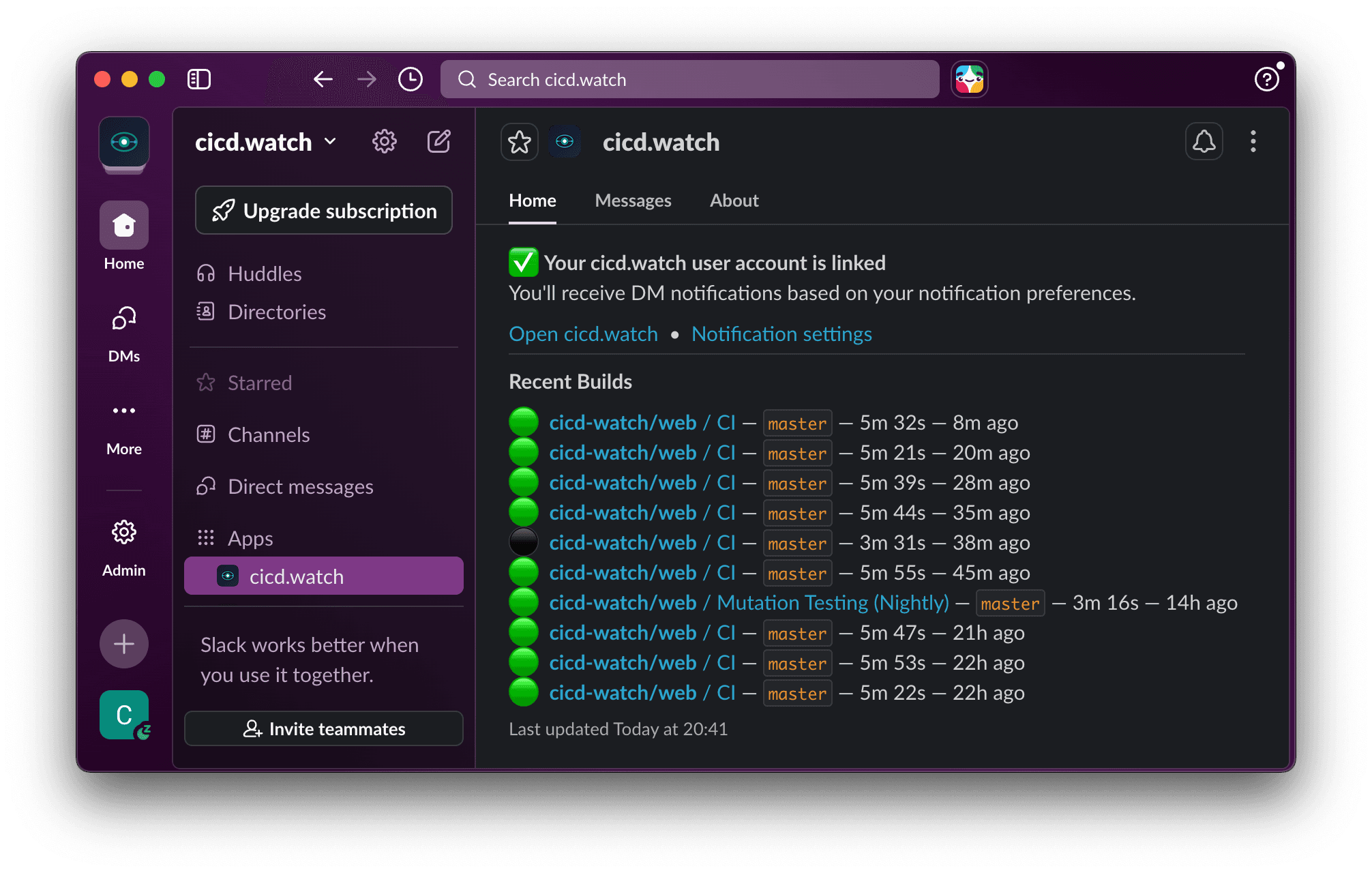
Link your Slack account and get direct messages for your own builds. Know the moment your branch passes or fails without watching a dashboard.
App Home with Recent Builds
Open the CI/CD Watch app in Slack to see your most recent builds at a glance — status, repo, branch, and duration — without leaving your conversation.
Per-Event Control
Choose exactly which events trigger notifications — pipeline started, succeeded, failed, or alert triggered — separately for channels and DMs.
Connected in three steps
An admin connects the workspace. Everyone else just links their account.
Connect your workspace
A team admin clicks Connect Slack in Settings > Notifications. Authorise via OAuth and your workspace is linked in seconds.
Pick your channels
Choose which Slack channels receive team notifications for each event type — failures, successes, starts, and alerts.
Link personal accounts
Each team member can link their Slack account from the App Home to receive personal DMs about their builds.
Every event, your choice
Toggle notifications per event type, separately for team channels and personal DMs.
Pipeline failed
A pipeline run finished with a failure
Pipeline succeeded
A pipeline run completed successfully
Pipeline started
A new pipeline run has begun
Alert triggered
A configured alert threshold was breached
Never miss a failed build again
Connect your Slack workspace and start receiving pipeline notifications in minutes. Available on Team plans and above.