Performance Ratings
Every pipeline gets a performance rating based on its median duration, along with a trend showing whether it's getting faster or slower over time. CI/CD Watch also generates optimization suggestions to help you speed up the pipelines that need it most.
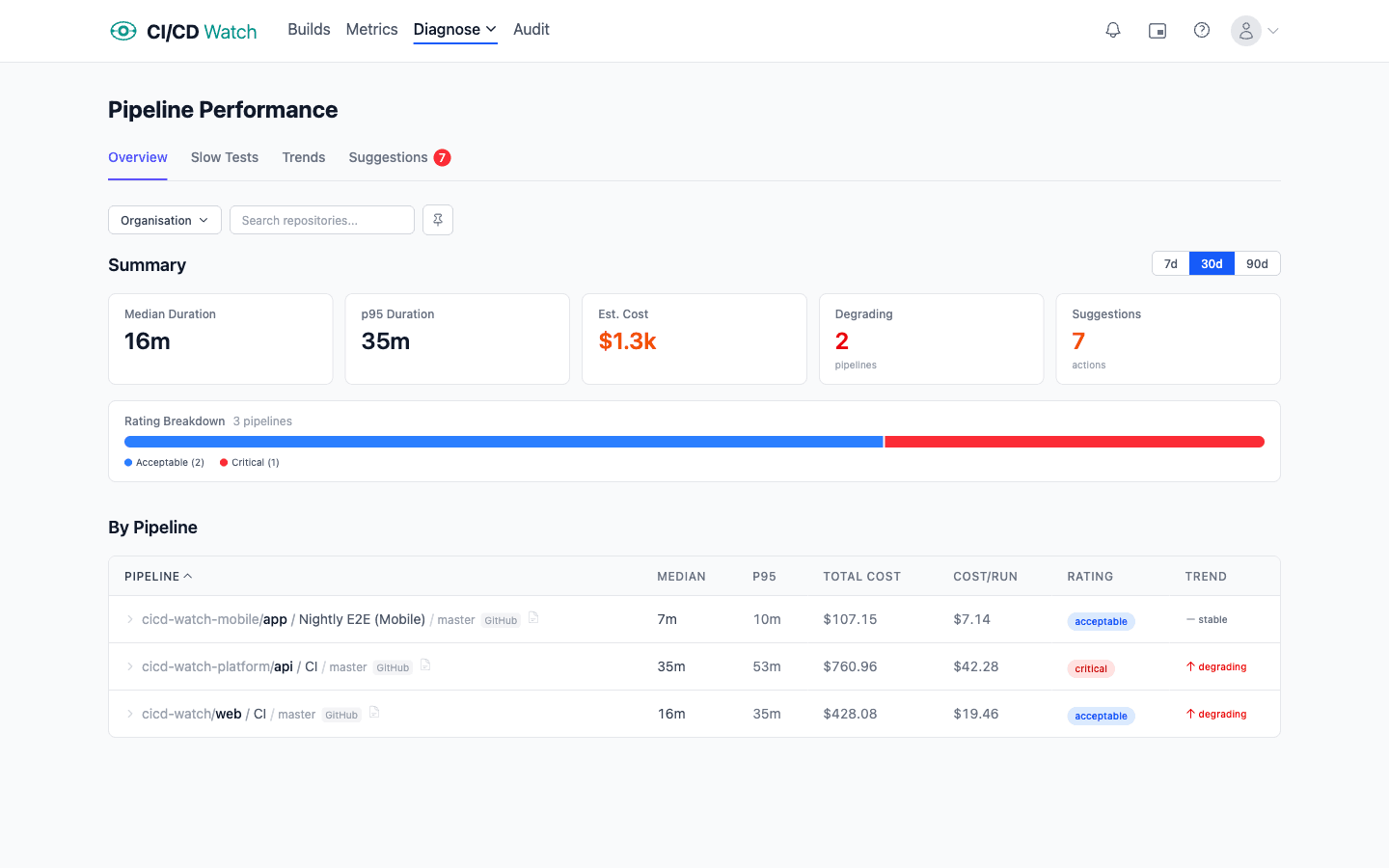
Rating Thresholds
Ratings are based on the median pipeline duration within the selected time window.
| Rating | Median Duration |
|---|---|
| Fast | ≤ 5 minutes |
| Acceptable | 5–15 minutes |
| Slow | 15–30 minutes |
| Critical | > 30 minutes |
Trend Detection
CI/CD Watch detects whether a pipeline is getting faster or slower by splitting the selected time window in half and comparing the median duration of each half.
| Trend | Change |
|---|---|
| Improving | ≤ -10% change |
| Stable | -10% to +20% change |
| Degrading | ≥ +20% change |
Optimization Suggestions
CI/CD Watch automatically detects common performance issues and generates actionable suggestions. There are 11 categories of suggestions:
- Bottleneck job
- A single job takes more than 60% of the total pipeline duration. Rated high severity if that job takes more than 75%.
- Duration regression
- The pipeline's duration trend is degrading. Rated high severity if the increase is more than 50%.
- High variance
- The P95 duration is more than 2× the median, meaning run times are unpredictable. Rated medium severity if P95 exceeds 3× the median.
- Long-running pipeline
- The pipeline's performance rating is critical or slow.
- Sequential jobs
- The sum of job median durations is approximately equal to the pipeline median (within 80–150%), suggesting jobs run sequentially with no parallelism.
- Missing cache
- No cache is configured and the median duration exceeds 5 minutes. Detected from pipeline configuration analysis.
- No parallelism
- Three or more jobs with no dependencies defined between them, indicating they could run in parallel but don't.
- Missing timeout
- No timeout is configured for the pipeline, risking hung runs that consume resources indefinitely.
- Config change regression
- A pipeline configuration change coincided with a performance degradation of 20% or more.
- Shallow checkout
- A GitHub pipeline without shallow checkout configured and a median duration exceeding 5 minutes. Shallow clones can significantly reduce checkout time for large repositories.
- No retry for flaky
- A job with high duration variance has no retry configuration, meaning flaky failures require manual reruns.
How Suggestions Are Ranked
Suggestions are ranked by severity: high, then medium, then low. The top 10 suggestions are shown per time period, so you can focus on the changes that will have the biggest impact on your pipeline performance.
Slow Tests
The dedicated slow tests page (under Performance → Slow Tests) lists the slowest individual tests across all your pipelines in a sortable table. Each test shows its median and p95 duration, the number of runs, its share of the pipeline's total duration, and a trend indicator (improving, stable, or degrading).
Trends are detected by splitting the time window in half and comparing the median duration of each half. This helps you spot tests that are getting slower over time and prioritize them for optimization.
Performance Trends
The trends page (under Performance → Trends) shows duration trend charts for your pipelines over time. Visualize how pipeline build times change across 7, 30, or 90-day windows to spot gradual degradation or confirm that optimizations are working.
Related
- Pipeline Stability , how pipelines are classified as healthy, flaky, or broken
- Cost Calculations , the cost impact of slow and failing pipelines
- Flaky Tests , individual test performance and reliability tracking
- DORA Metrics , how pipeline performance relates to delivery metrics