API Keys
API keys allow external tools like the CLI and MCP server to access your data via the Public API. Only admins and owners can manage API keys.
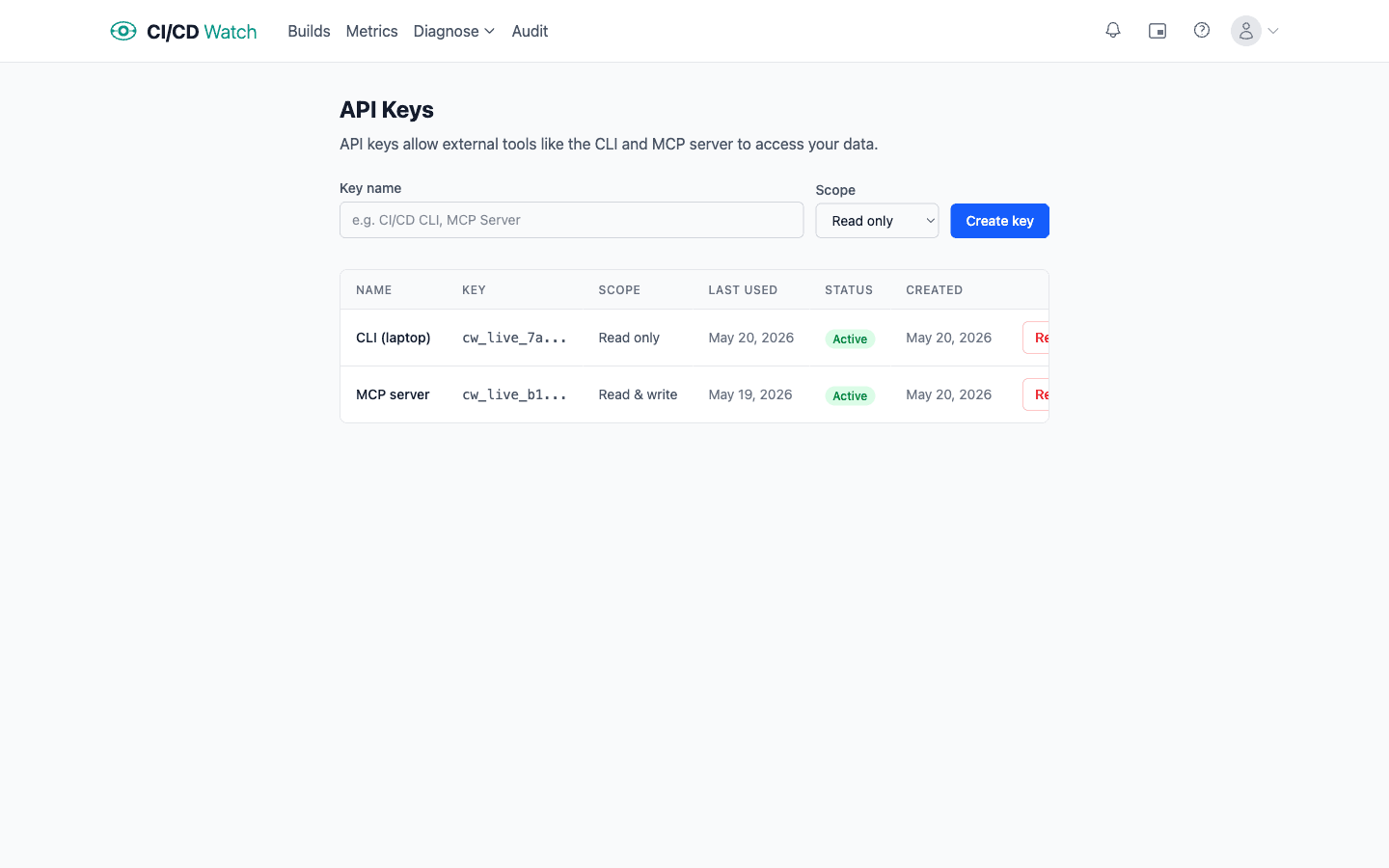
- Creating a key
- Give the key a name (up to 100 characters) and choose a scope:
- Read only, can fetch data but not make changes
- Read & write, full access to read and modify resources
- After creation, the full key is shown once. Copy it immediately, it cannot be retrieved again.
- Key table
- The keys table shows every key with its name, prefix, scope, last used date, status, and creation date. Status is one of:
- Active, key is valid and can be used
- Revoked, key has been manually revoked
- Expired, key has passed its expiry date
- Expiry dates
- Optionally set an expiry date when creating a key. Expired keys stop working automatically, no manual intervention needed. Use expiry for temporary integrations or to enforce key rotation policies.
- Revoking a key
- Admins can revoke any active key. Revocation is immediate and permanent, any tool using that key will stop working. Create a new key if you need to restore access.
- Security best practices
- Store keys in environment variables or a secrets manager, never commit them to source control. Use read-only scope unless write access is specifically needed (e.g. triggering reruns from the CLI). Create separate keys for different tools so you can revoke one without disrupting others.