Connections
Connect your CI/CD providers so CI/CD Watch can pull pipeline data. Each connection shows its status and linked account, with options to configure scope or disconnect.
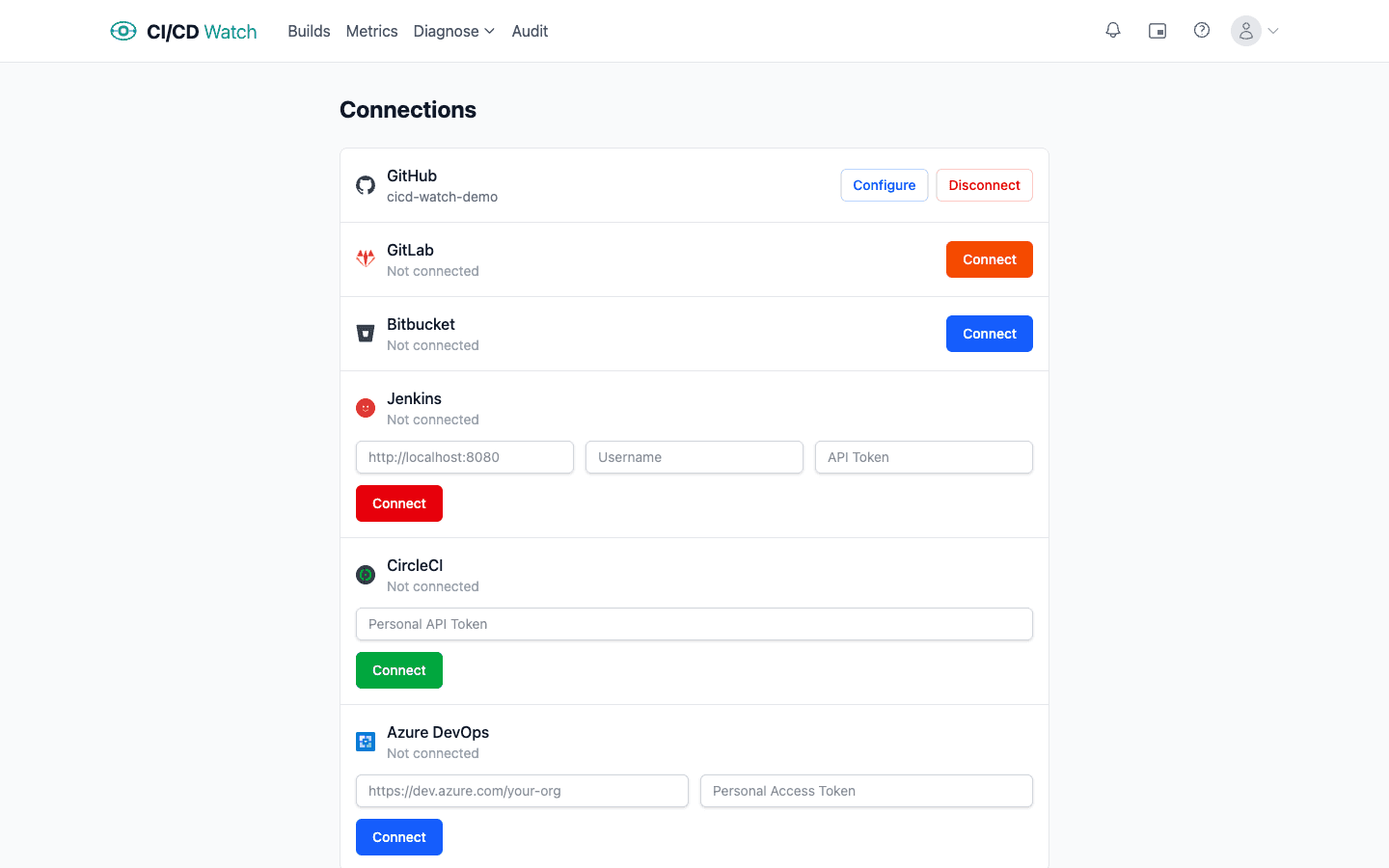
- OAuth providers
- GitHub, GitLab, and Bitbucket authenticate via OAuth. Click Connect and you'll be redirected to the provider to authorise access. You can connect multiple accounts for the same provider (e.g. a personal and an organisation GitHub account).
- Token-based providers
- Jenkins, CircleCI, and Azure DevOps use credentials entered directly in CI/CD Watch:
- Jenkins, instance URL, username, and API token. The token needs read access to jobs and builds.
- CircleCI, a personal API token generated from your CircleCI user settings.
- Azure DevOps, your organisation URL (e.g.
https://dev.azure.com/your-org) and a personal access token with read access to builds and projects. - Disconnecting
- Each connection has a Disconnect button that removes the stored credentials and stops all syncing for that connection. Historical data already synced is retained.
- Plan limits
- Your plan determines how many connections you can have per provider. A “Limit reached” badge appears when you've used all available slots.
- Credential security
- All credentials are encrypted at rest using AES-256-GCM with per-tenant key derivation. OAuth tokens are refreshed automatically before they expire. CI/CD Watch requests the minimum scopes needed to read pipeline data, it never writes to your repositories or modifies your CI configuration.
- After connecting
- Once a provider is connected, configure which organisations and repositories to sync in Connection Scope. The first sync pulls recent pipeline runs and typically completes within a few minutes. Subsequent syncs run on a schedule and pick up new data automatically.