Cost Rates
Customise how CI/CD Watch calculates pipeline costs. Default rates are applied automatically, but you can override them to match your actual spend. See Cost Calculations for how these rates are used.
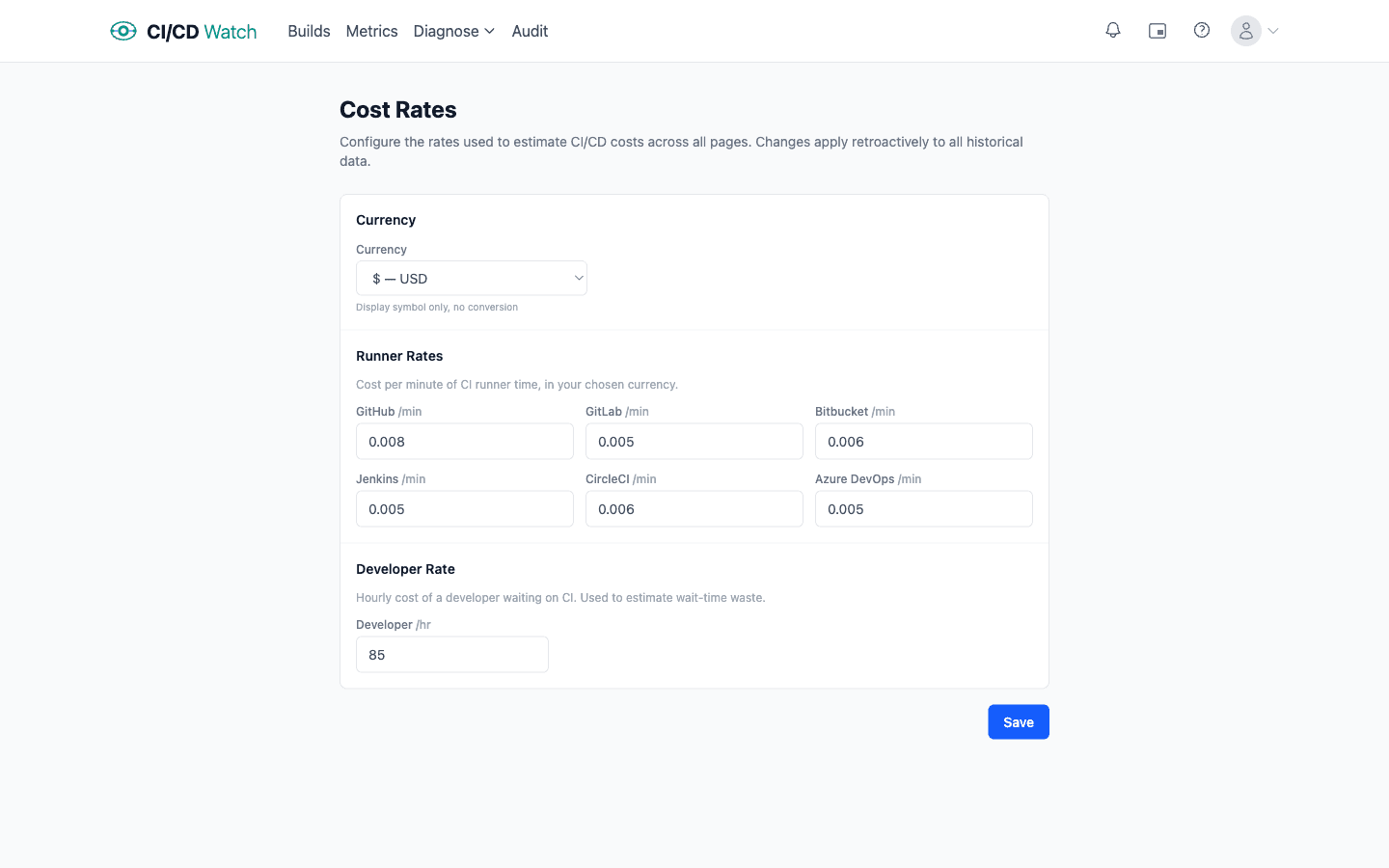
- Currency
- Choose a display currency from 18 options: USD, EUR, GBP, CAD, AUD, JPY, CHF, SEK/NOK/DKK, NZD, BRL, INR, KRW, PLN, ZAR, ILS, MXN, SGD, and HKD. This changes the symbol shown throughout the app , it does not perform currency conversion.
- Runner rates
- Set a per-minute rate for each CI provider. CI/CD Watch multiplies this rate by each run's duration to calculate compute cost. Default rates are applied if you don't override them:
- Developer hourly rate
- The fully loaded hourly cost of a developer waiting on CI. Defaults to $75/hr. Used to estimate wait-time waste on the costs dashboard, PR health page, and waste analysis. Set this to your team's average loaded cost (salary + benefits + overheads) for the most accurate estimates.
- How rates are applied
- Rate changes apply to all cost calculations from that point forward, including when viewing historical data. CI/CD Watch multiplies each pipeline run's duration by the runner rate for its provider, and multiplies developer wait time by the hourly rate. If you change rates, past cost figures will update to reflect the new values. See Cost Calculations for the full methodology.
| Provider | Default rate |
|---|---|
| GitHub | $0.008 / min |
| GitLab | $0.005 / min |
| Bitbucket | $0.006 / min |
| CircleCI | $0.006 / min |
| Azure DevOps | $0.005 / min |
| Jenkins | $0.005 / min |