Billing
The billing settings page is where you upgrade, downgrade, cancel, and manage payment details for your CI/CD Watch organisation. All billing actions live inside the app, there is no separate dashboard. See pricing for the current tier breakdown.
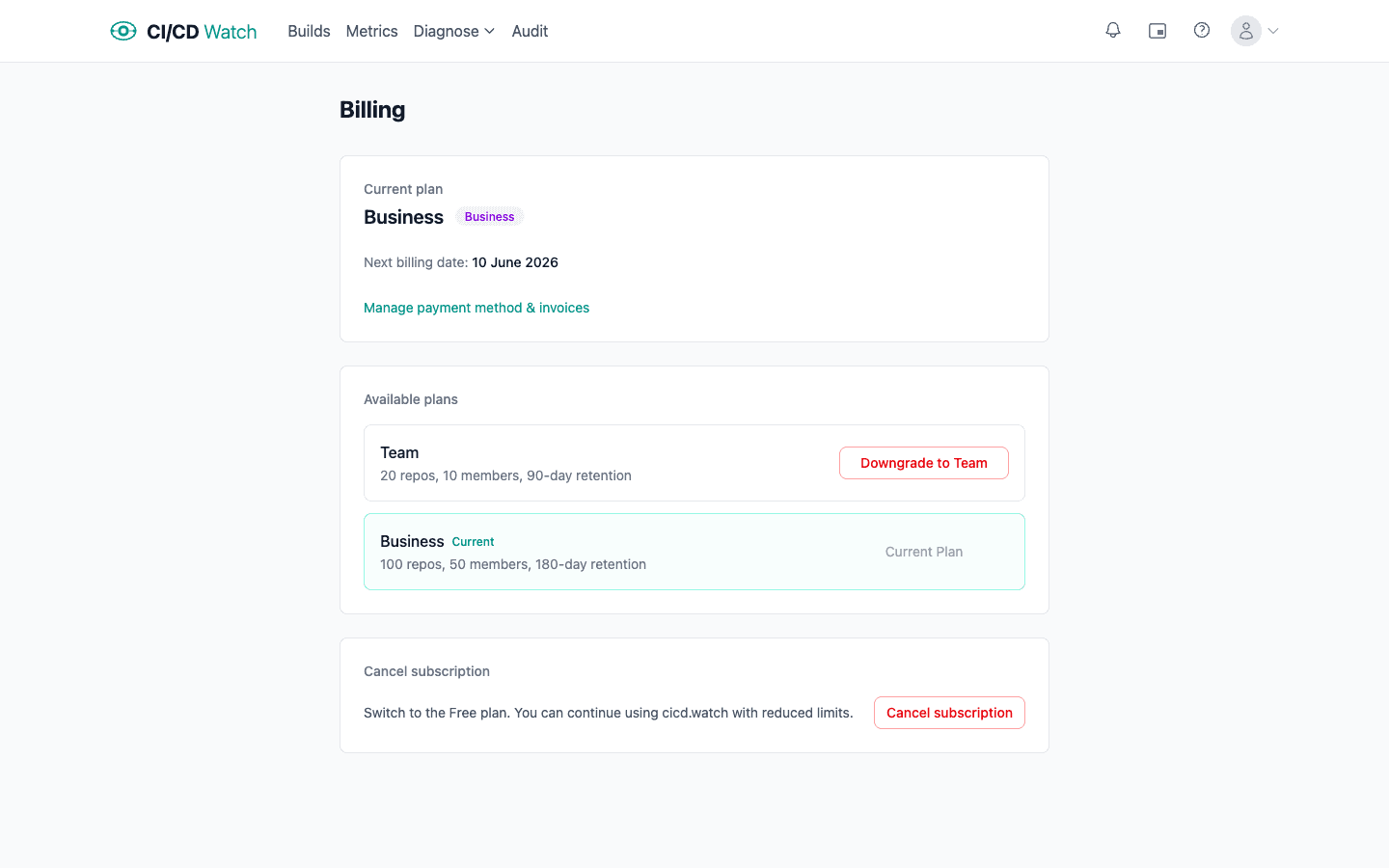
- Current plan
- Your active plan (Free, Team, Business, or Enterprise) is shown at the top of the page, with the next billing date for paid plans. Free and Enterprise plans do not show a billing date.
- Upgrading from Free
- The first upgrade opens Stripe Checkout in a hosted page. You enter payment details there, and the subscription activates immediately on return.
- Changing between paid plans
- Upgrades and downgrades between Team and Business happen in-app without re-entering payment details. Stripe prorates the change against your current period.
- Enterprise
- Enterprise is not self-serve. Move to or from Enterprise by contacting us through the contact page.
- Cancelling
- Paid plans can be cancelled in-app. Cancellation takes effect at the end of the current billing period, you keep paid features until then, and the organisation drops to the Free plan afterwards.
- Payment method & invoices
- Manage payment method & invoices opens the Stripe customer portal, where you can update your card, download past invoices, and edit billing details.
- Who can change billing
- Admins and owners can change the plan, open the customer portal, and cancel. Members see the current plan but cannot make changes.
Where to find it
Open Settings → Billing in the app.