Alert Rules
Set up alerts to be notified when DORA metrics change significantly. CI/CD Watch compares the current period against the previous period and fires alerts when thresholds are breached.
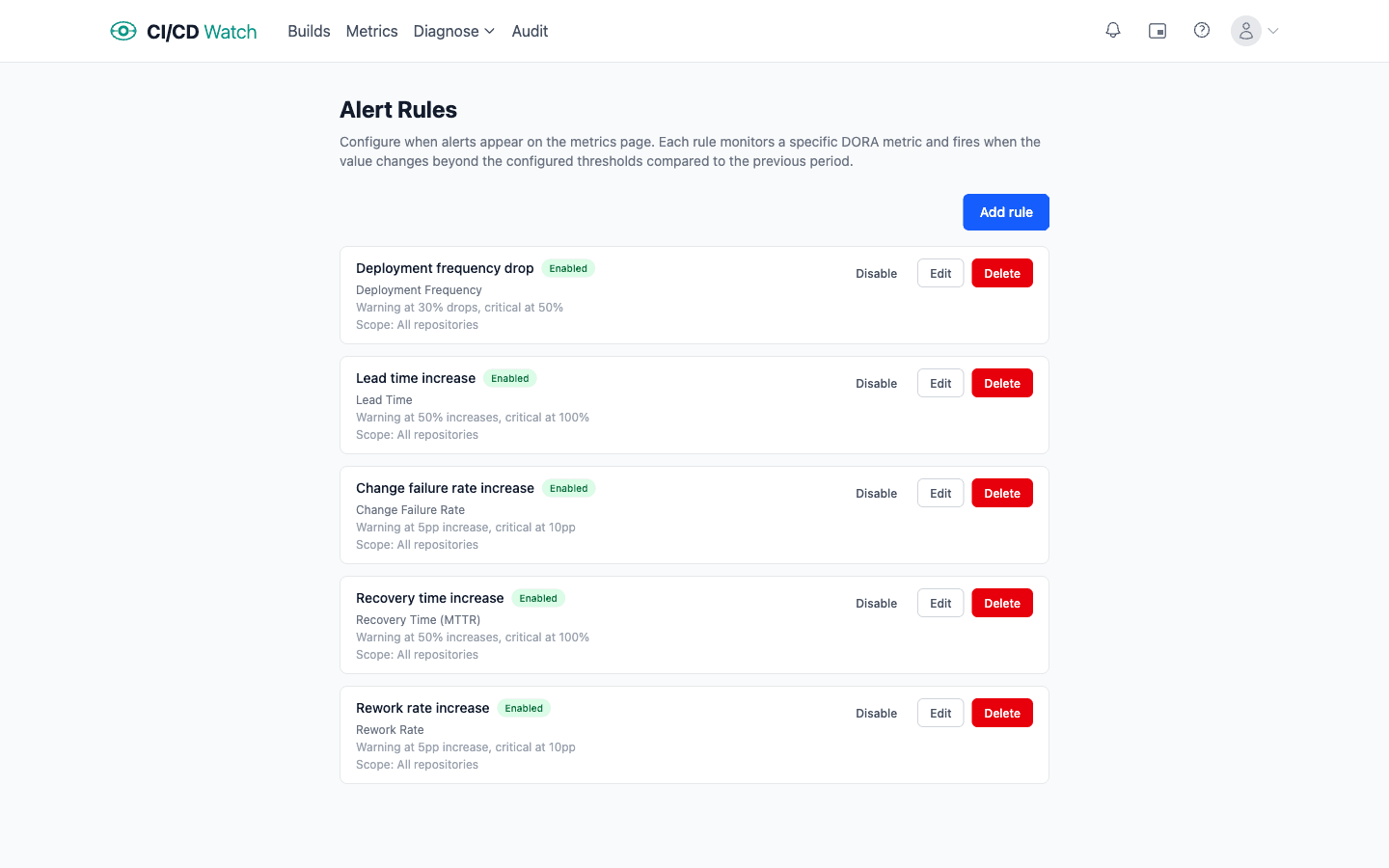
- Default rules
- Four rules are created automatically the first time you visit the alerts page, one for each DORA metric. You can edit, disable, or delete them.
- Metrics
- Create rules for any of the five DORA metrics: Deployment Frequency, Change Lead Time, Change Fail Rate, Failed Deployment Recovery Time (MTTR), or Deployment Rework Rate.
- Condition types
- Two condition types are available. Percentage change fires when the metric moves by a relative percentage (e.g. “lead time increased 50%”). Percentage point change fires on an absolute shift (e.g. “change failure rate increased 5 percentage points”). Each condition has separate warning and critical thresholds, and a direction (increase or decrease).
- Scope filters
- By default a rule monitors all repositories. Optionally narrow the scope using comma-separated filters for providers, organisations, repositories, pipelines, or branches.
- Enable, disable, and delete
- Individual rules can be toggled on or off without deleting them. Disabled rules are skipped during evaluation but retain their configuration. You can also permanently delete rules you no longer need.
| Rule | Warning | Critical |
|---|---|---|
| Deployment frequency drop | 30% | 50% |
| Lead time increase | 50% | 100% |
| Change failure rate increase | 5 pp | 10 pp |
| Recovery time increase | 50% | 100% |